Typing Speed V2
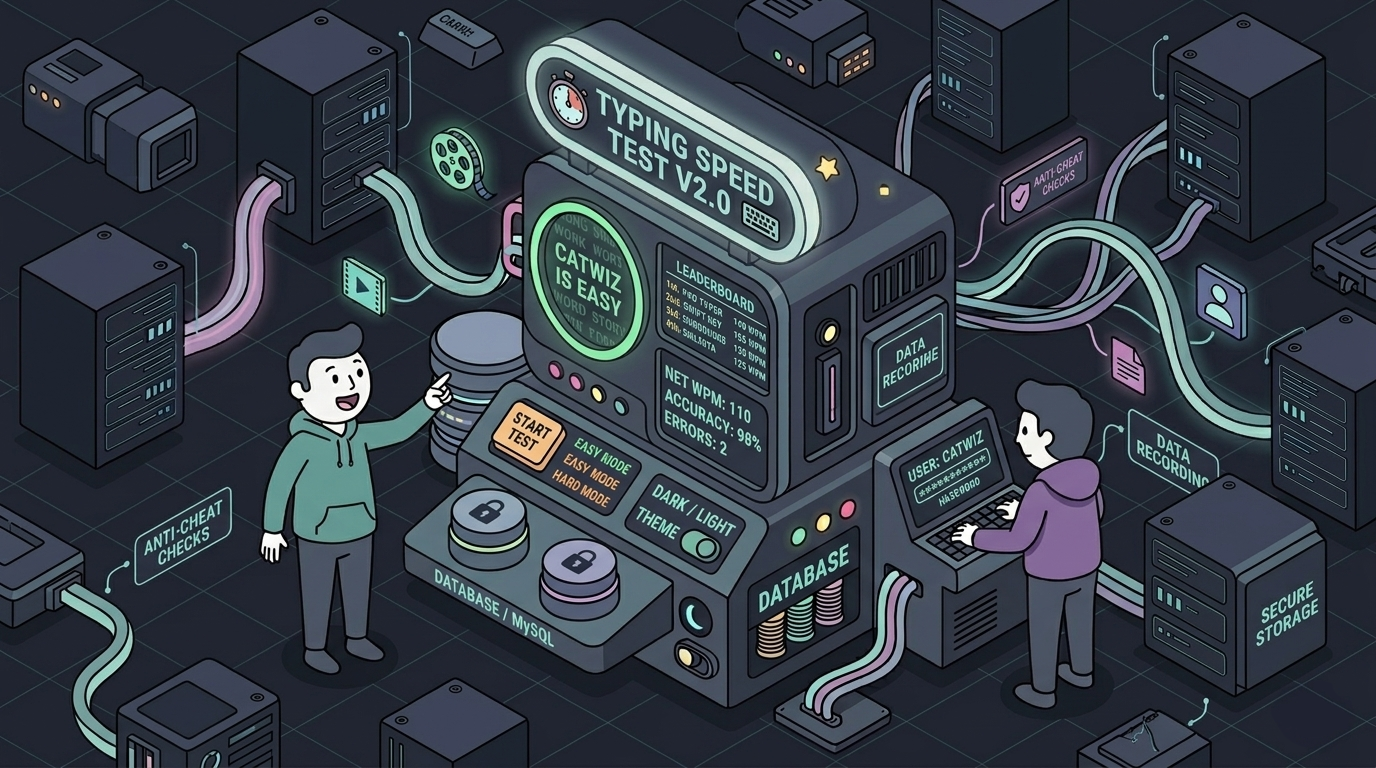
# Building a Fast, Minimal Typing Speed Test with Python and MySQL
# Introduction
Typing speed tests are a simple but effective way to improve accuracy, speed, and consistency while working on a computer. Most online typing platforms rely heavily on graphical interfaces and web-based systems, but I wanted to explore a different challenge: building a fast, responsive, and fully terminal-based typing experience powered by a real backend database.
That idea led to the development of Typing-Speed-TUI-V2, a Python-based typing speed application featuring a Text User Interface (TUI) and persistent MySQL storage. The project was designed to combine low-level terminal interaction with backend engineering concepts such as authentication, database management, statistics tracking, and secure password handling.
Version 2.0 focused on improving usability, introducing secure authentication, and replacing local file storage with a scalable MySQL-backed system for storing users and typing records.
# Core Features
# Fast and Minimal Terminal Experience
The project uses a lightweight Text User Interface instead of a traditional graphical application. This keeps the program extremely responsive while avoiding unnecessary GUI overhead, making it ideal for low-resource systems and terminal enthusiasts.
The menu-driven interface also creates a clean workflow that feels simple and intuitive to navigate.
# User Authentication and Secure Password Storage
A login and registration system was implemented to support multiple users.
Passwords are securely hashed before storage, ensuring that raw credentials are never saved directly in the database. This introduced an important real-world backend security concept into the project while keeping the implementation lightweight and easy to maintain.
# Performance Tracking and Analytics
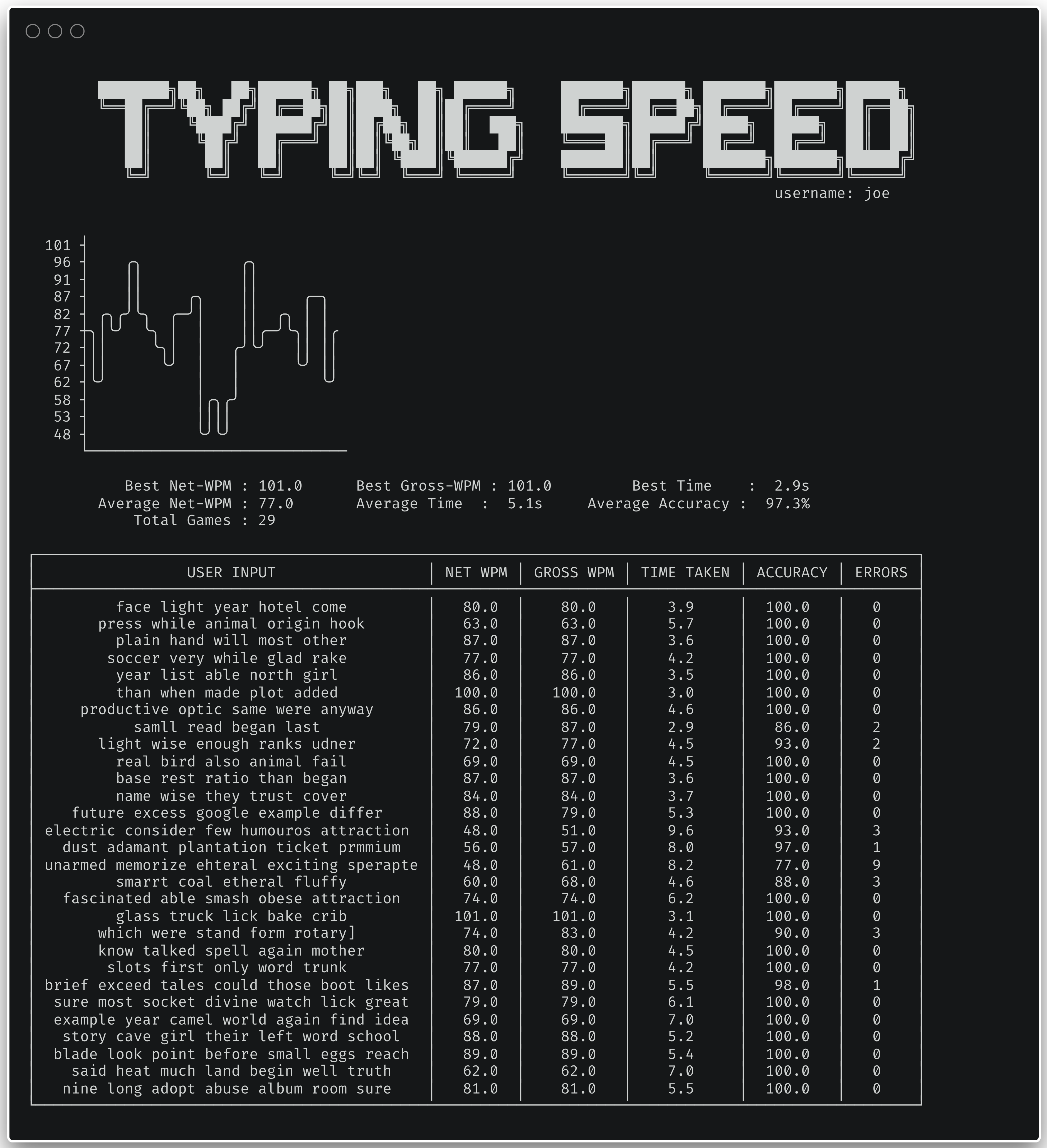
Each typing session stores detailed statistics, including:
- Net WPM
- Gross WPM
- Accuracy
- Error count
- Time taken
Users can revisit their previous runs to track progress over time, creating a more engaging and personalized experience compared to a simple one-off typing test.
# Global Leaderboard System
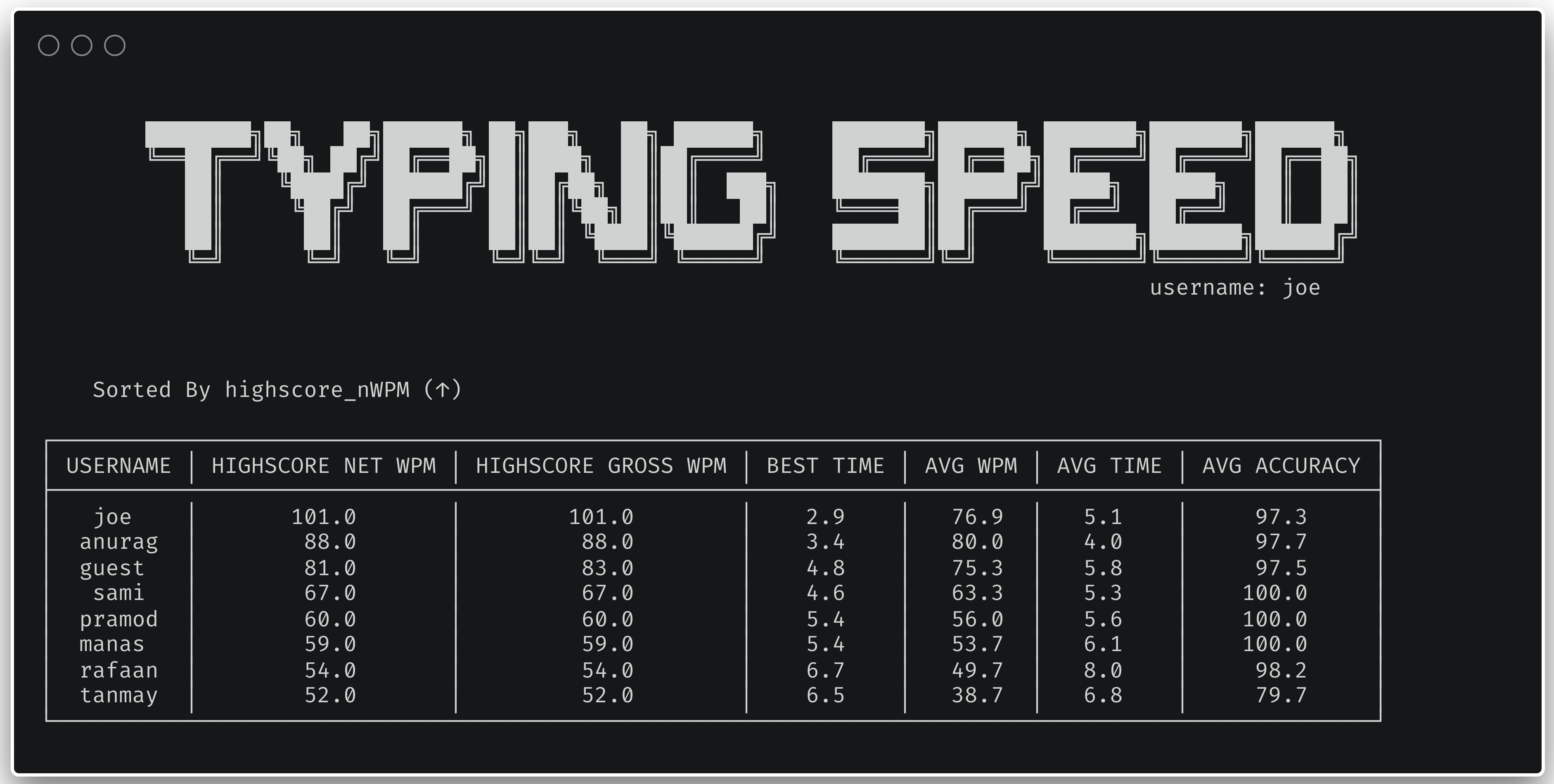
To add a competitive element, the application includes a leaderboard that compares scores across all registered users.
This feature encouraged me to think about ranking systems, efficient database queries, and presenting structured data clearly within a terminal interface.
# Anti-Cheat Protection
One of the more interesting additions was implementing anti-cheat checks using zero-width character detection.
This helps prevent users from artificially inflating their scores through hidden Unicode characters or pasted input, making the recorded statistics more reliable and realistic.
# Difficulty Modes
The application supports both Easy and Hard typing modes using separate word lists.
This allowed the program to cater to different skill levels while also improving replayability for users who wanted more of a challenge.
# System Architecture
# Backend Logic
The entire application was developed in Python, with the project split into modular components to improve maintainability and separation of concerns.
The core files include:
main.py- application entry point and menu loopTypingSpeed.py- typing test logic and statistics calculationsDatabaseManagement.py- handles all MySQL interactionsUtils.py- utility/helper functionsconfig.py- database configuration
This modular structure made the project significantly easier to extend and debug during development.
# Database Layer
MySQL was chosen as the primary database because it provided:
- Persistent user storage
- Efficient querying for leaderboards
- Structured tracking of typing results
- Multi-user support
The schema stores both authentication data and typing performance metrics, allowing the system to scale beyond a single local session.
Using a real relational database also gave me practical experience working with SQL queries, schema design, and backend data management.
# Security Considerations
Although the project is relatively small, security was still treated seriously.
Key security-focused decisions included:
- Password hashing before storage
- Input validation
- Anti-cheat detection
- Structured database interaction
These additions helped make the application feel closer to a production-style backend system rather than just a small terminal utility.
# Development Experience
One of the biggest challenges during development was creating a terminal experience that still felt interactive and polished despite having no graphical interface.
Managing cursor positioning, keeping the interface responsive, and displaying live typing feedback required careful handling of terminal behavior and user input.
Another interesting challenge was balancing simplicity with extensibility. The goal was to keep the application lightweight while still supporting features like authentication, historical statistics, and leaderboards without turning the codebase into a monolith.
The project ultimately became a strong exercise in backend-focused Python development and reinforced many software engineering fundamentals around modularity, persistence, and user-focused design.
# Screenshots / Visuals
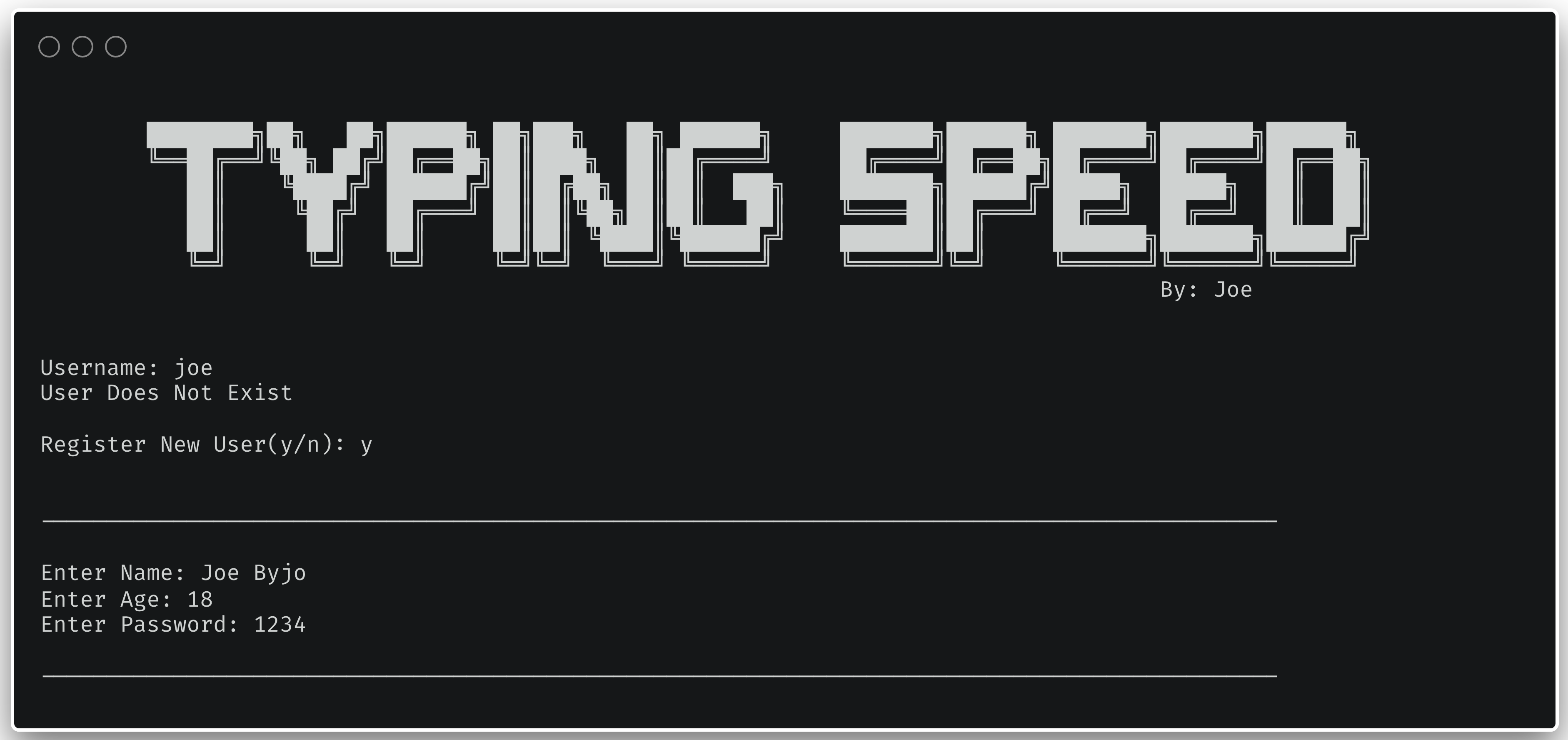
# Login Screen
Displays user authentication and registration flow.
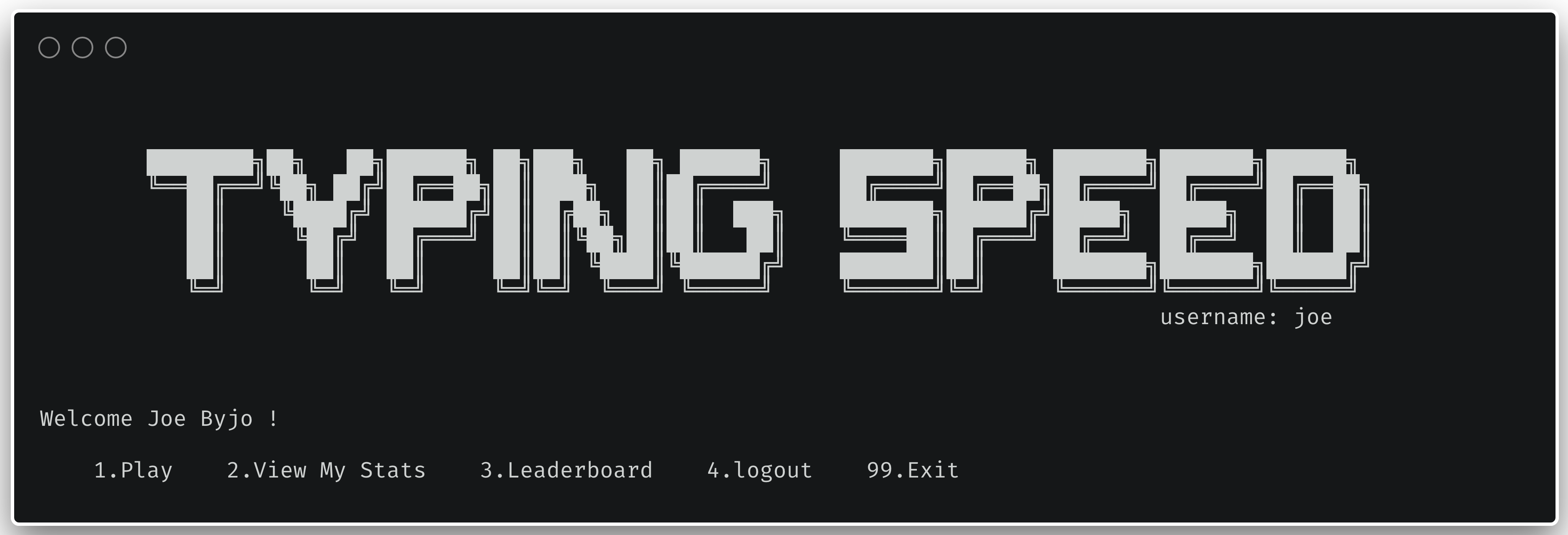
# Welcome Screen
The main menu interface for navigating features.
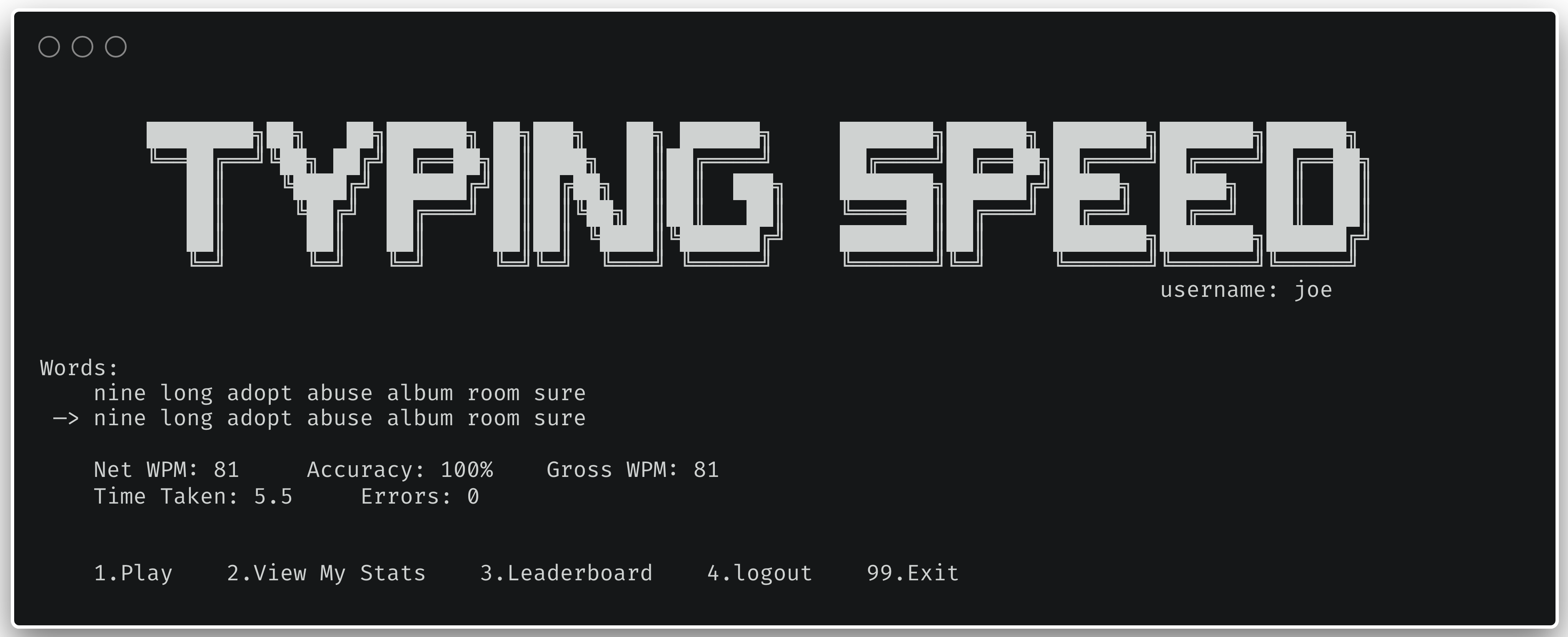
# Typing Test in Action
Real-time typing experience within the terminal.
# Statistics Summary
Detailed breakdown of typing performance
# Leaderboard View
Global rankings across all users.
# Final Thoughts
Typing-Speed-TUI-V2 started as a simple typing speed tester but evolved into a much deeper backend-focused project involving authentication systems, database integration, security considerations, and terminal UI design.
What made the project especially rewarding was building something that remained lightweight and minimal while still delivering features commonly found in larger applications.
It was also a great opportunity to strengthen my understanding of Python architecture, SQL databases, and designing user experiences outside of traditional graphical applications.